
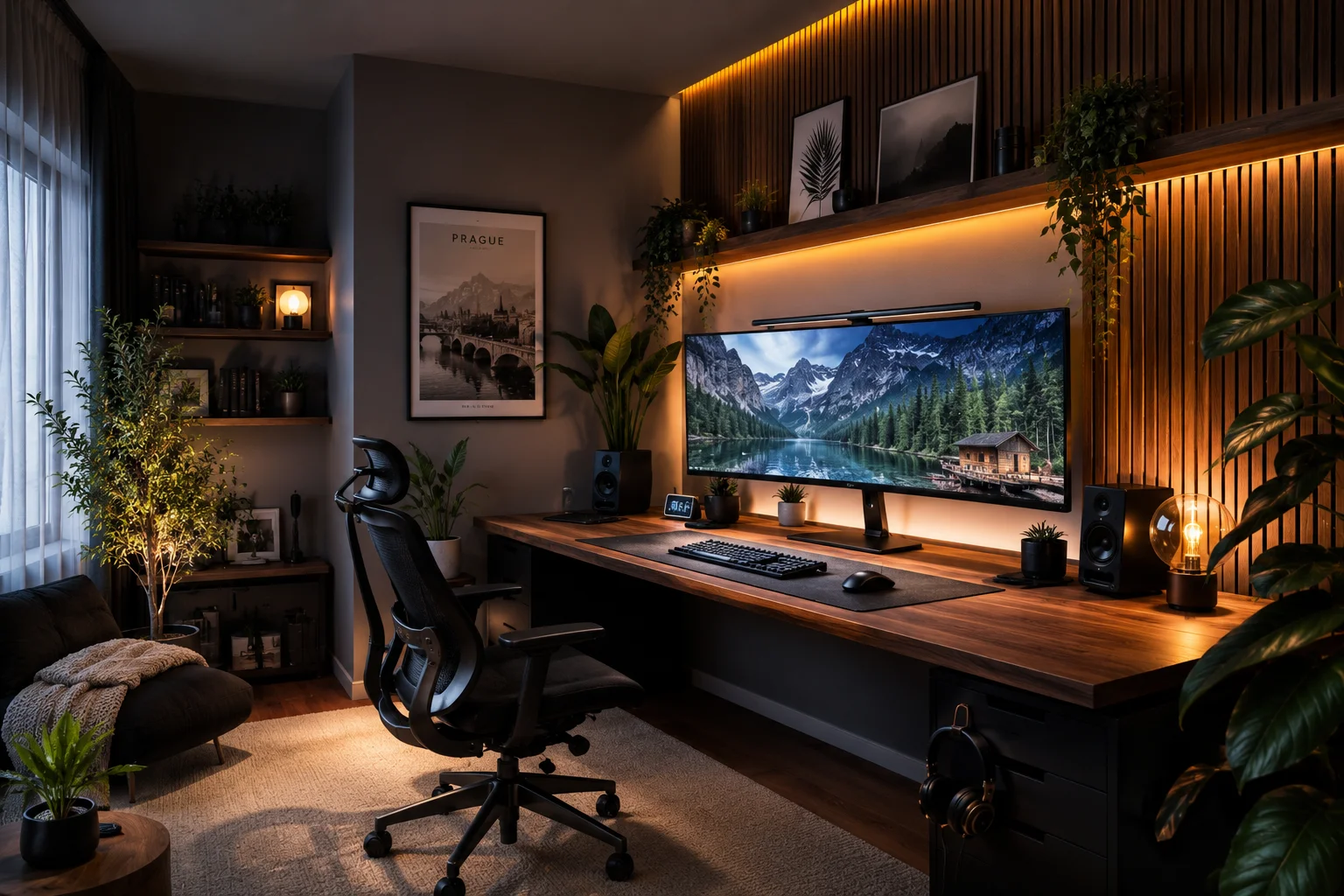
So Here’s What Happened When I Obsessed Over Desk Setups for Six Months
Last year I moved into a new apartment and gave myself one rule: I was finally going to build the desk setup I’d been looking at on Pinterest and YouTube for years. I had a dedicated space, a modest budget, and way too much free time on evenings. Six months, fifteen different configurations, and a truly embarrassing amount of money at IKEA later — I’m here to tell you everything I learned.
This isn’t a roundup of setups I found on Reddit and repackaged. I actually built or researched every single one of these configurations. Some were revelations. Some were expensive mistakes. A couple made me feel like I was working in a magazine spread, which honestly changed how I showed up to my work in ways I didn’t expect.
The aesthetic desk setup 2026 scene is genuinely different from even two years ago — the hardware has caught up to the aesthetics, the price points have come down, and there are more creative directions than ever. Whether you’re working from home, gaming, studying, or just want your space to look as good as the setups you see online, one of these fifteen ideas will fit your situation.
Idea 1: The Invisible Cable Aesthetic (Cable Chaos Is Over)
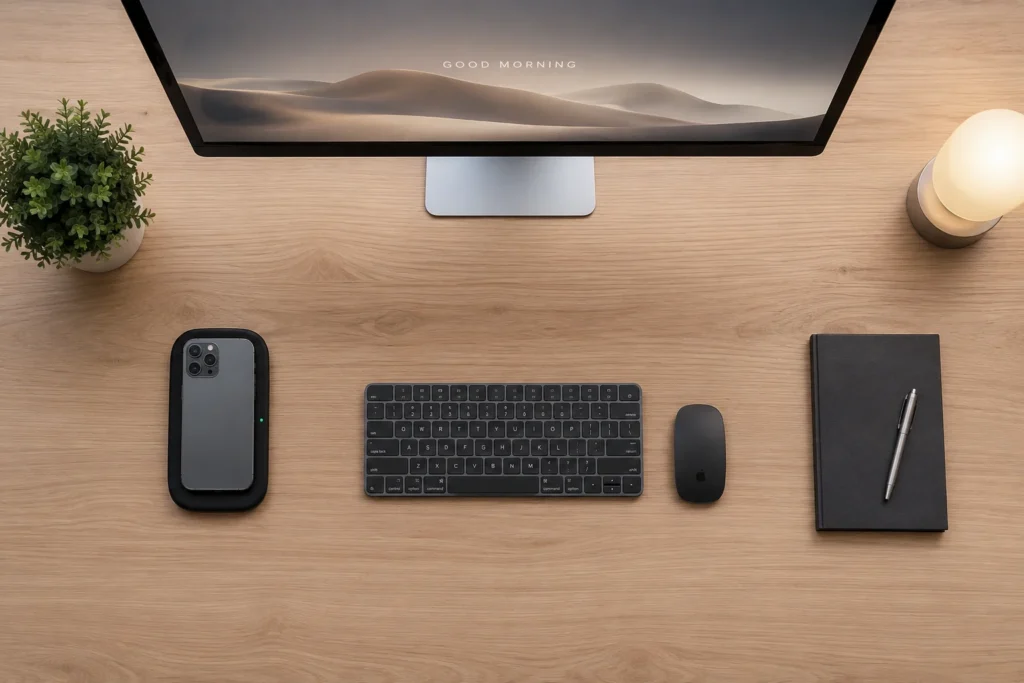
I spent a whole weekend once pulling my hair out over cables. Three monitors, a laptop, two external SSDs, a ring light — and behind my desk it looked like a bowl of spaghetti someone forgot about. I’d see those pristine Pinterest setups and genuinely wonder: are these people even real?
Turns out, cable management in 2026 is less about hiding cables and more about eliminating them entirely. The aesthetic desk setup 2026 trend is moving fast toward zero-visible-cable desks.
What actually works:
Anchor’s MagGo ecosystem lets you charge your iPhone, AirPods, and Apple Watch from a single puck with zero cables on your surface. Logitech’s MX Keys S and MX Master 3S are both Bolt receivers — one tiny USB dongle controls both. Gone are the days of two separate dongles.
For the cables you can’t eliminate: the UGREEN cable management box (under $20 on Amazon) is borderline life-changing. Stuff your power strip and surge protector in there, route cables through the side, and suddenly your desk looks like an Apple Store display.
Magnetic cable clips from Orbitkey stick to the underside of your desk and hold USB-C and Lightning cables in place. They’re small, they’re clean, and they’re the kind of thing you don’t notice until they’re there — and then you wonder how you lived without them.
The biggest mistake I made early on? Starting with the aesthetics before fixing the function. I bought a beautiful cable sleeve wrap, ran all my cables through it, and then realized I’d tangled my monitor power cable with my USB hub. Had to undo everything. Fix the routing logic first, then make it pretty.
Idea 2: Japandi Desk Aesthetic — The Setup Style Dominating 2026
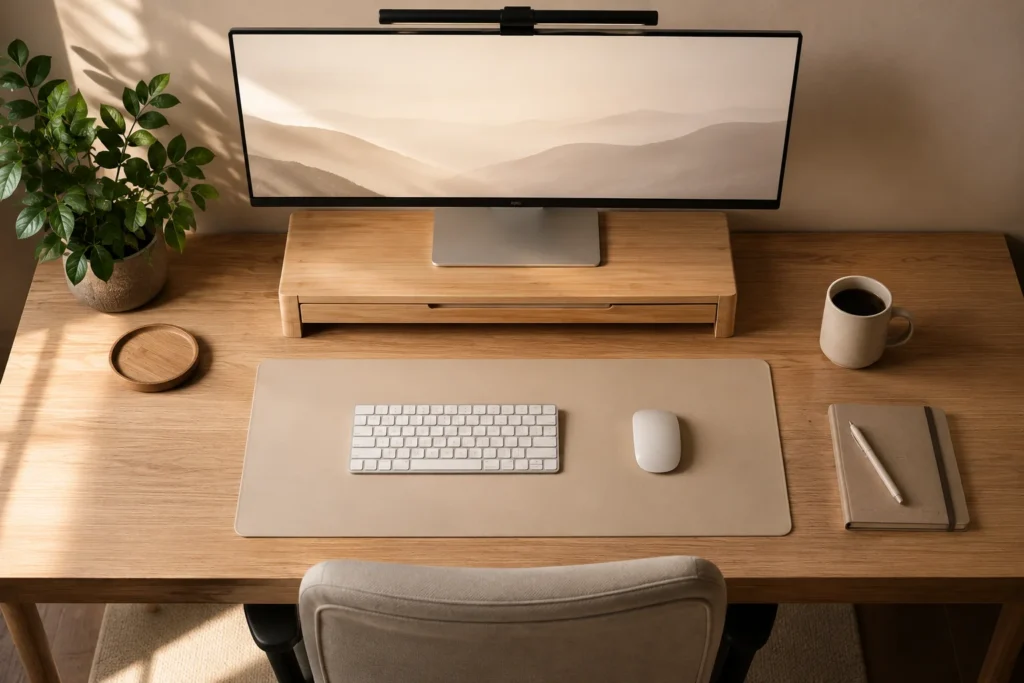
If you’ve been on Instagram or Pinterest at all this year, you’ve seen it: desks with warm wood tones, a single trailing plant, muted beige and white, and absolutely nothing on the surface that doesn’t serve a purpose. That’s Japandi — a fusion of Japanese minimalism and Scandinavian hygge — and it’s arguably the single most influential aesthetic desk setup trend of 2026.
The reason it works so well for desk setups specifically is that it forces intentionality. You can’t have a Japandi desk and also have three random gadgets you haven’t used in months. The aesthetic demands curation.
How to pull it off on any budget:
Start with your desk surface. The IKEA KARLBY countertop in oak veneer is a staple for a reason — it’s wide, warm-toned, and costs a fraction of a solid wood desk. Pair it with Alex drawers from IKEA and you’ve got the foundation most people spend thousands on, for around $300.
For your monitor stand, go bamboo or light wood. The Grovemade Monitor Stand is the gold standard (and genuinely gorgeous), but the Fezibo bamboo stand on Amazon at around $35 gets you 80% of the way there.
A single small plant — a pothos, a snake plant, or a bonsai — adds the organic element without looking cluttered. Keep it to one. The mistake most people make is adding three plants and then wondering why the desk looks busy.
One thing I got wrong: I bought a bunch of white accessories thinking they’d look clean, and instead my desk looked like a hospital. Japandi isn’t white — it’s warm. Creams, oat, mushroom, terracotta accents. That one shift changed everything for me.
Idea 3: Ambient LED Setups That Don’t Look Like a Gaming Den
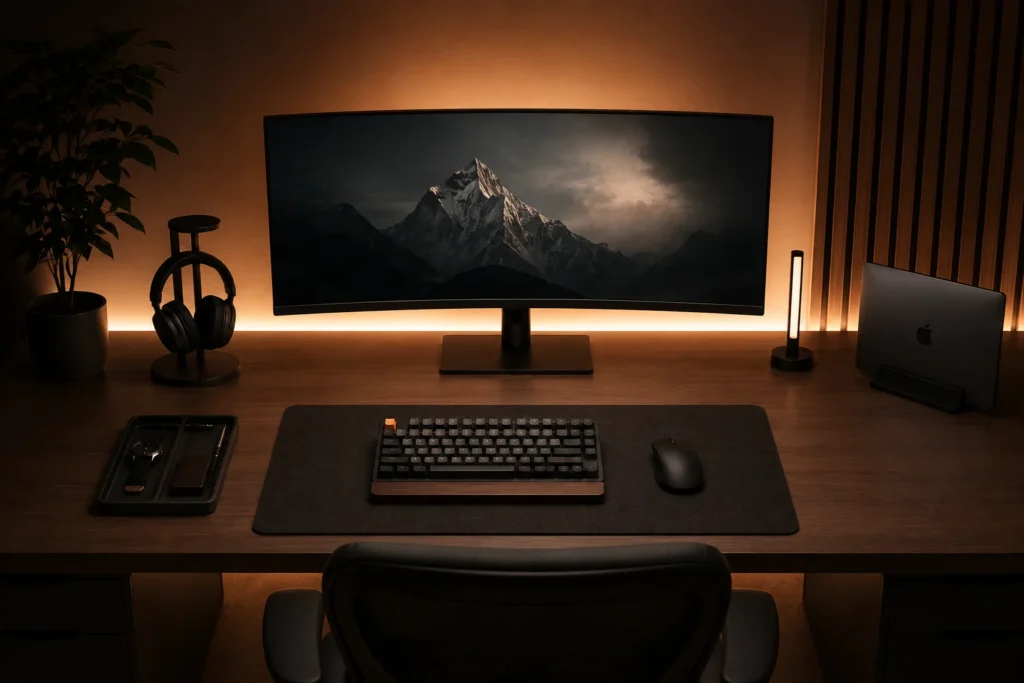
Let me be real: for a long time, LED strips screamed ‘teenage gaming room.’ Rainbow colours, constant colour-cycling, that specific kind of over-the-top RGB that makes every setup look like a Twitch streamer’s background. But 2026 is a completely different story.
The shift happened because of two things: better smart home ecosystems and a general maturation in how people think about workspace lighting. Now the best ambient desk setups use LEDs in a way that feels warm, intentional, and almost architectural.
Govee’s RGBIC Pro strip lights let you set specific segments to specific colours — so your top strip can be warm white at 2700K while the side accent is a soft amber. Pair it with a Govee desk lamp that syncs to your screen content and you’ve got dynamic, reactive lighting that still looks sophisticated rather than chaotic.
The key insight nobody tells you: your main desk light should be cool-white (5000–6500K) for focus, but your ambient/accent lighting should be warm (2700–3000K). The contrast between the two creates visual depth in photos and videos — which is why so many creators’ setups look so polished on camera.
Elgato’s Key Light is still my favourite main desk light for this. At $200 it’s not cheap, but the quality of light it produces — diffused, large surface area, no harsh shadows — is genuinely different from cheaper alternatives I’ve tried. The Key Light Mini works nearly as well at half the price if you’re tighter on budget.
Where I went wrong the first time: I put LED strips on the front of my desk where they’d be in my direct eyeline. Terrible decision. They go behind the monitor, under the desk surface, and along the back wall. Never where you can see the strip itself — only where you see the glow.
Idea 4: Standing Desk Aesthetics — Sit-Stand Without Sacrificing Style
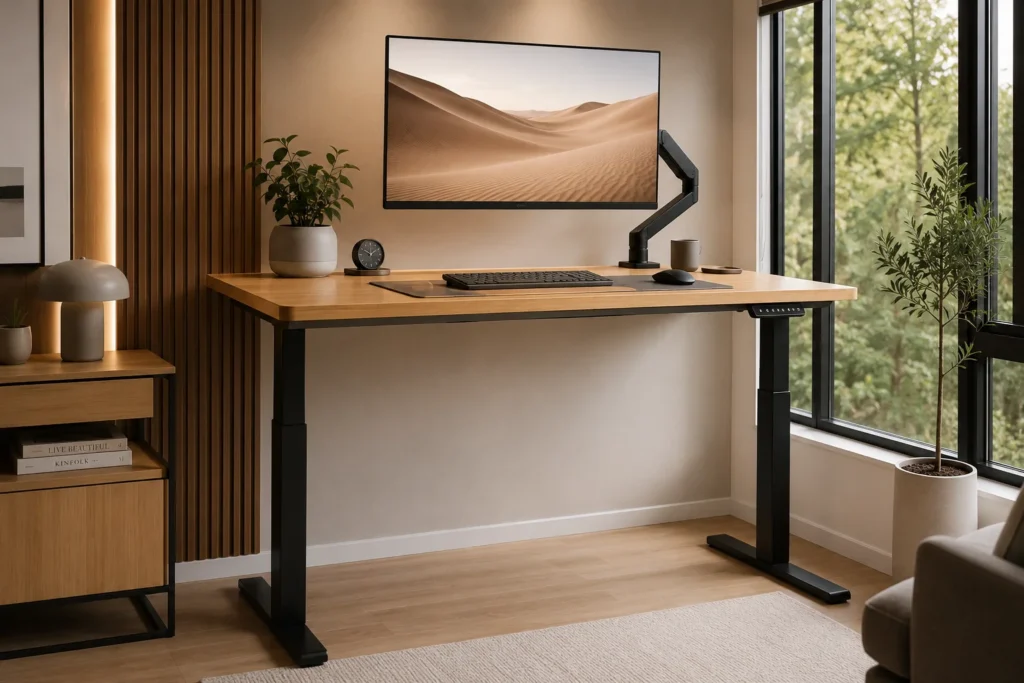
When I first got a standing desk three years ago, I thought I’d be standing eight hours a day and solving all my back problems. Reader, I stood for about twenty minutes and then sat for the rest of the year. What actually changed my habit wasn’t the desk — it was the aesthetic.
Here’s the thing nobody says out loud: if your standing desk looks like a corporate HR purchase, you’re not going to want to use it. But if it looks like something out of an Architectural Digest shoot, you’ll show up differently.
The Uplift V2 Commercial is still the most stable electric standing desk I’ve ever used — zero wobble at full height, which matters enormously if you’re using a heavy ultrawide monitor. Pair it with their bamboo top and you’ve got something that photographs beautifully and functions even better.
For the slightly budget-conscious: the FlexiSpot E7 with a separate butcher block top from Home Depot (around $50) gives you a genuinely beautiful setup for about $450 total. I’ve seen this combo on about a dozen creative professionals’ desks and it consistently looks more expensive than it is.
The cable management challenge with standing desks is different — your cables need to move with the desk. Cable caterpillar chains (the kind used in industrial equipment, available on Amazon for around $15) solve this perfectly. Mount it to the desk leg, run cables through it, and it accordion-extends as the desk rises.
Pro tip from painful experience: before you commit to a standing desk height, stand in your work clothes — including shoes. My first desk was calibrated barefoot and I spent a week with my arms at wrong angles.
Idea 5: The Dual Monitor Aesthetic Done Right
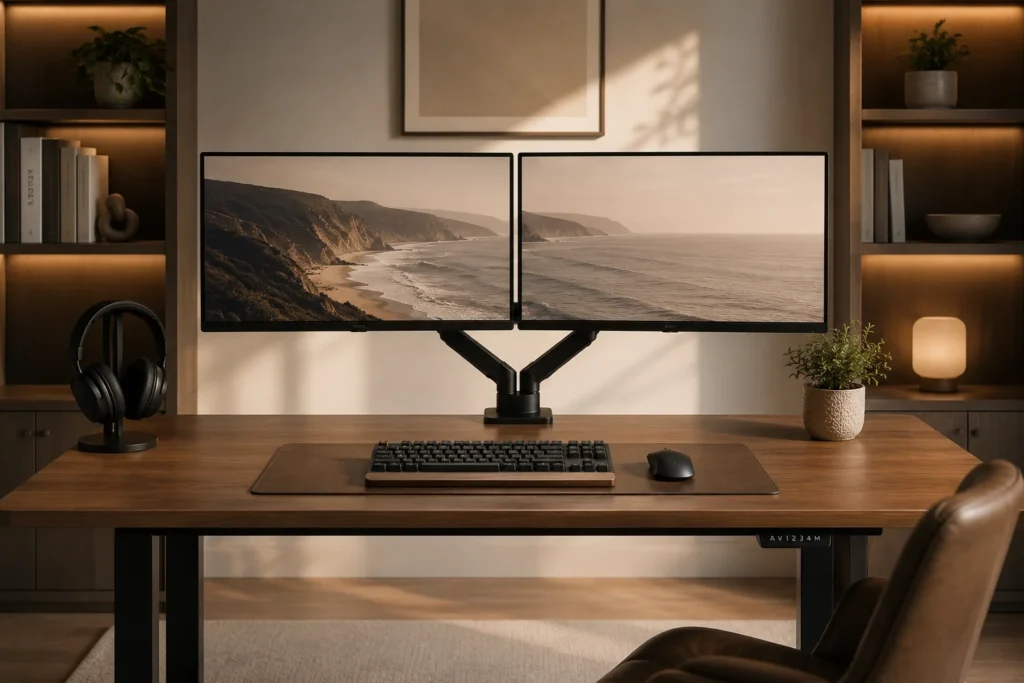
I’ve had a dual monitor setup for years, and for most of that time it looked like a tech hoarder’s nightmare — two mismatched monitors at different heights, one on a stand and one propped up on textbooks (seriously), cables everywhere. Then I discovered monitor arms and felt genuinely embarrassed it took me this long.
The Ergotron LX Dual Stacking Arm is the single best upgrade I’ve made to any desk setup, ever. It frees up the entire desk surface, positions both monitors at perfect ergonomic height, and makes the setup look intentional and professional. At around $250 it feels expensive right up until the moment it’s installed — then it feels like a bargain.
For the monitors themselves: matching monitors matter more than most people realize for aesthetics. Two LG 27GP850-B panels give you a beautiful, symmetric setup with minimal bezels. If you want that ultra-slim bezel look for photos, the Dell Ultrasharp U2723QE is borderline frameless.
One thing to know going in: dual monitor setups only look clean from straight-on. From any angle, you’ll see the back of one panel. So if you’re setting up in a room where people see your desk from the side, consider whether one ultrawide (like the LG 34WQ75C) might actually serve you better aesthetically.
The matching-versus-ultrawide debate is real and I’ve gone back and forth on it. Ultimately I kept dual monitors because I use my second screen exclusively for reference and communication — and the physical separation helps my brain treat them as separate contexts. Your brain’s wiring matters for this decision.
Idea 6: The ‘Dark Academia’ Desk Aesthetic Taking Over in 2026
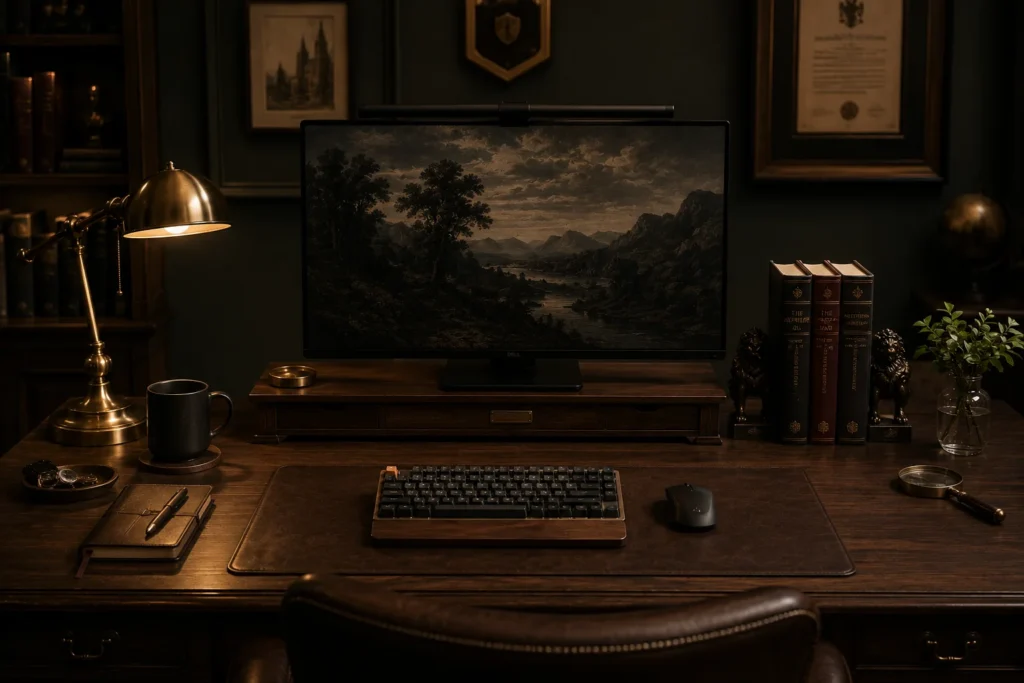
Not everyone wants a bright, Scandi-white setup. Some of us want to feel like we’re writing our thesis in a Victorian library by candlelight, even if we’re actually updating a spreadsheet on a Tuesday afternoon. Dark academia desk setups are having a serious moment in 2026, and honestly, I get it entirely.
The core of the look: dark wood surfaces (walnut is the move), a vintage-style brass or black desk lamp, a leather or faux-leather desk mat, and books. Real books, displayed intentionally, not just stacked randomly.
The Grovemade Leather Desk Pad in cognac or black is the perfect centrepiece for this aesthetic — it’s genuinely beautiful, gets better with age like good leather should, and immediately elevates any surface it sits on. It’s $120 and worth every cent.
For the lamp: the BenQ e-Reading lamp MH700 delivers exceptional light quality for work, and its understated brushed metal design fits the dark academia look without looking like a gaming peripheral. The Dyson Lightcycle Morph is incredible but expensive at $600 — the BenQ at $150 is the smarter call for most people.
Adding books is an art form in itself. Books facing forward, by colour, create visual interest without looking haphazard. Bookends matter more than you’d think — the Tom Dixon concrete bookends or even inexpensive marble-effect ones from Amazon change how the whole row reads.
Where people go wrong with dark academia: they make it too dark and end up with a setup that’s moody in photos but genuinely unpleasant to work in. Layer your lighting — overhead warm, task light bright — so you have atmosphere without eyestrain.
Idea 7: Budget Aesthetic Desk Setup Under $200 That Looks Expensive
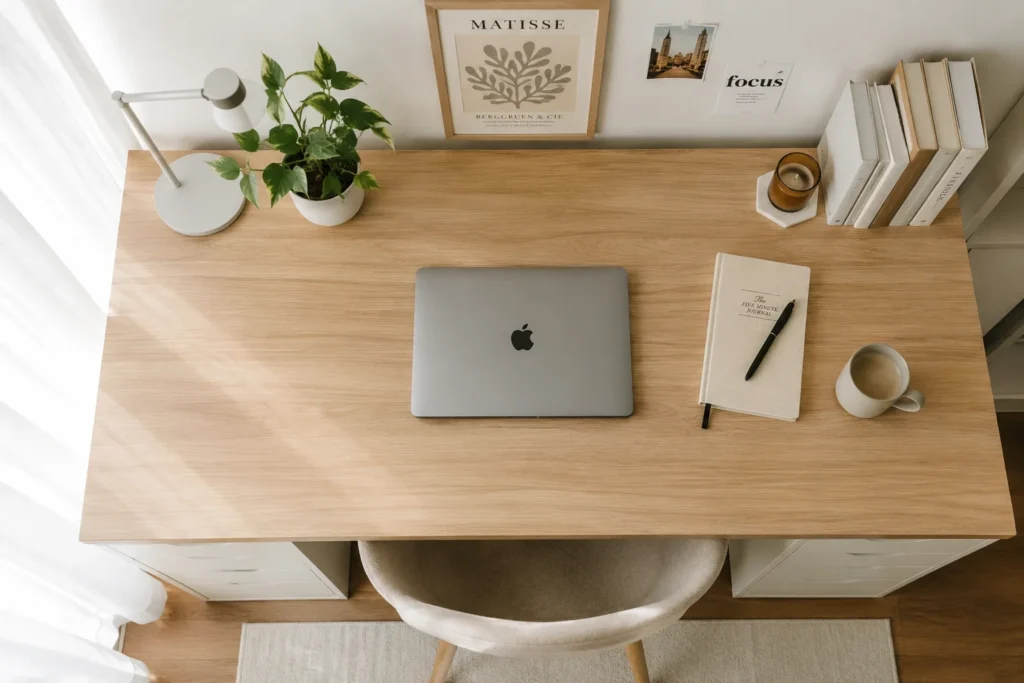
Before I had any kind of budget for this, I spent three months researching setups that cost thousands and feeling genuinely depressed that I couldn’t recreate them. Then I started actually reading what was in the photos rather than what the captions said, and discovered that probably 40% of the most-liked aesthetic setups I’d seen were under $300 to replicate.
The IKEA LINNMON table top ($40) with ADILS legs ($15 each, you need four) gives you a 59-inch desk surface for around $100. Add a wood-look contact paper from Amazon ($20 for a big roll) and it genuinely looks like a solid wood desk in photos.
A single plant from Trader Joe’s or your local nursery: $5–10. A secondhand desk lamp from eBay or Facebook Marketplace: $10–20. A simple mousepad in a neutral colour from Amazon Basics: $12. You’re already at a desk that looks curated and intentional for under $150.
The secret to making budget setups look expensive: negative space. The more stuff on your desk, the cheaper it looks regardless of what you spent. Keep only what you actually use daily on the surface. Everything else goes in a drawer or off the desk entirely.
Good cable management — even just a $5 cable clip set from Amazon and some velcro ties — does more for the look of a cheap setup than any single expensive purchase.
The $200 sweet spot: the above desk setup plus a $30 AUKEY LED desk lamp with adjustable colour temperature. The warm/cool adjustability alone lets you set the mood for photos and for work.
Idea 8: AI-Integrated Smart Desk Setups — The Future Is Already Here
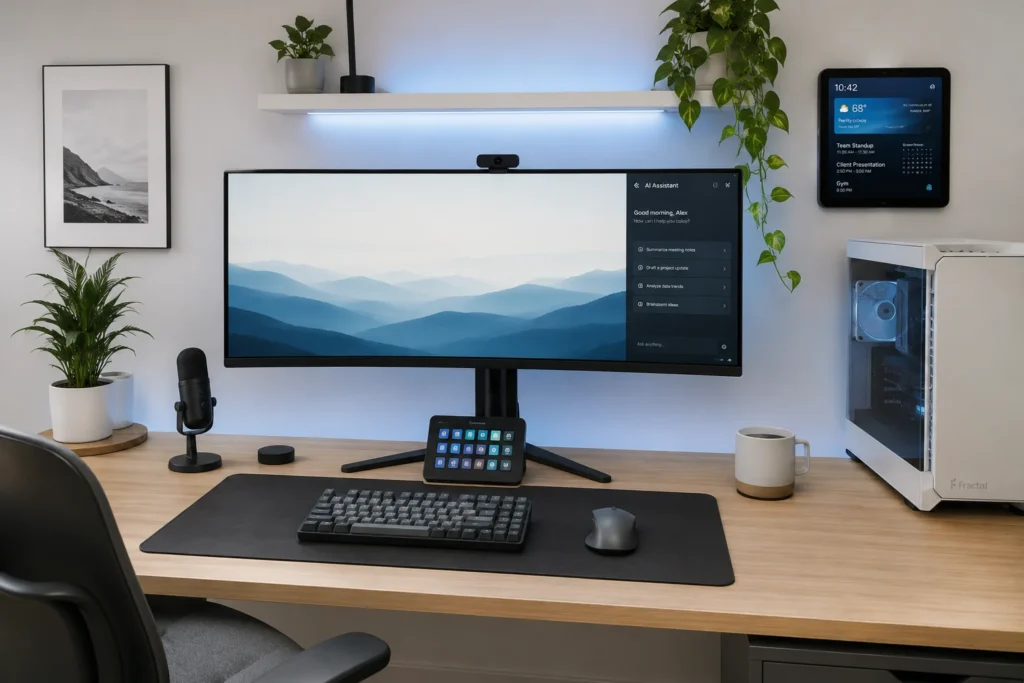
This one genuinely surprised me when I started setting it up: the integration between AI tools and physical desk hardware in 2026 is at a point where your setup can legitimately feel like something from a sci-fi film — without looking like one.
The Logitech Sight is a meeting-room camera that uses AI to automatically frame whoever is speaking in a multi-person call. For solo setups, the Elgato Facecam Pro with its AI framing software keeps you perfectly centred even when you lean sideways to grab your coffee. Sounds minor until you’re on your fifteenth video call of the week.
ChatGPT and Claude (accessed via their apps or the Arc Browser sidebar) have become genuine desk tools — not just something you open in a tab. Having an AI assistant as a sidebar on an ultrawide monitor means you can reference it constantly without switching contexts.
The most underrated smart desk gadget of 2026: the Amazon Echo Show 15. Mounted on a wall or on a stand near your desk, it functions as a second information screen — showing your calendar, timers, weather, and smart home controls without eating into your monitor real estate.
Stream Deck, which started as a streaming tool, has become a legitimate productivity device for any knowledge worker in 2026. One-touch buttons for opening specific apps, sending templates, triggering Zapier automations. Mine has a button that opens my most-used AI chat window, sets my Philips Hue to focus mode, and starts a timer — all in one press.
The aesthetic challenge with ‘smart’ setups is that gadgets accumulate and the desk starts looking like a Best Buy display. The discipline: if a gadget isn’t visible in your most-used view, hide it. The Echo Show goes on the wall. The Stream Deck sits flush with the desk mat edge. Intentional placement keeps it looking clean.
Idea 9: The Cozy Work-From-Home Corner Aesthetic (Productivity Meets Comfort)
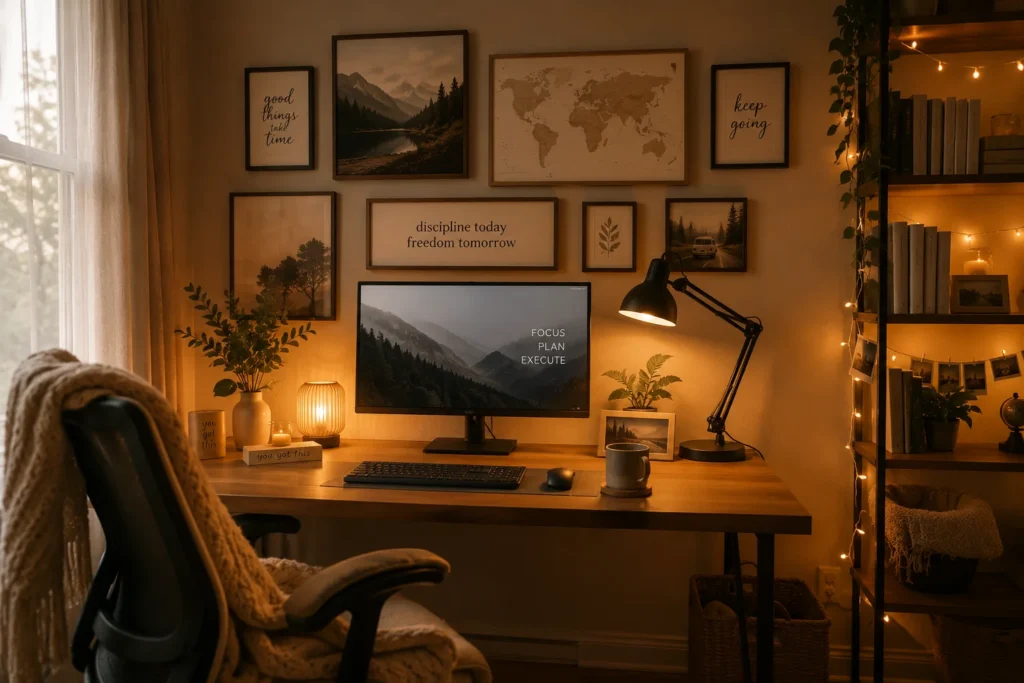
I went through a phase where I tried to make my home office look like a corporate office because I thought it would make me more productive. It didn’t. I was miserable, unmotivated, and resented sitting down at my desk. The moment I leaned into ‘cozy’ instead of ‘corporate,’ my output actually increased.
The cozy aesthetic desk setup trend in 2026 is a direct response to years of productivity culture telling us that workspaces should be austere and distraction-free. Turns out that for a lot of people — particularly those who do creative or writing-heavy work — warmth and comfort actually produce better results.
The foundation: a warm throw blanket draped over your chair, a diffuser with a light scent (eucalyptus or cedar), and a mug warmer on the desk for your coffee or tea. These are $5–30 items that completely shift the energy of a workspace.
For the visual layer: a gallery wall above the desk with a mix of prints, photos, and small art — kept tight and intentional rather than sprawling. IKEA’s MOSSLANDA picture ledge lets you do this inexpensively and rearrange whenever you want without putting holes in the wall.
The chair matters enormously for the cozy aesthetic — and for your back. The Secret Lab TITAN Evo in a neutral colour (they do a mushroom grey and a cream white now) looks nothing like a gaming chair and everything like a high-end office chair. The Branch Ergonomic Chair is another brilliant option and actually designed for hybrid work environments.
Fairy lights are not just for teenagers. A single strand of warm white fairy lights tucked into a bookshelf or along a window frame adds exactly the right amount of warmth to a cozy setup without looking juvenile, especially when paired with otherwise clean and modern elements.
Idea 10: Minimal Desk Setup for Students That Still Looks Aesthetic
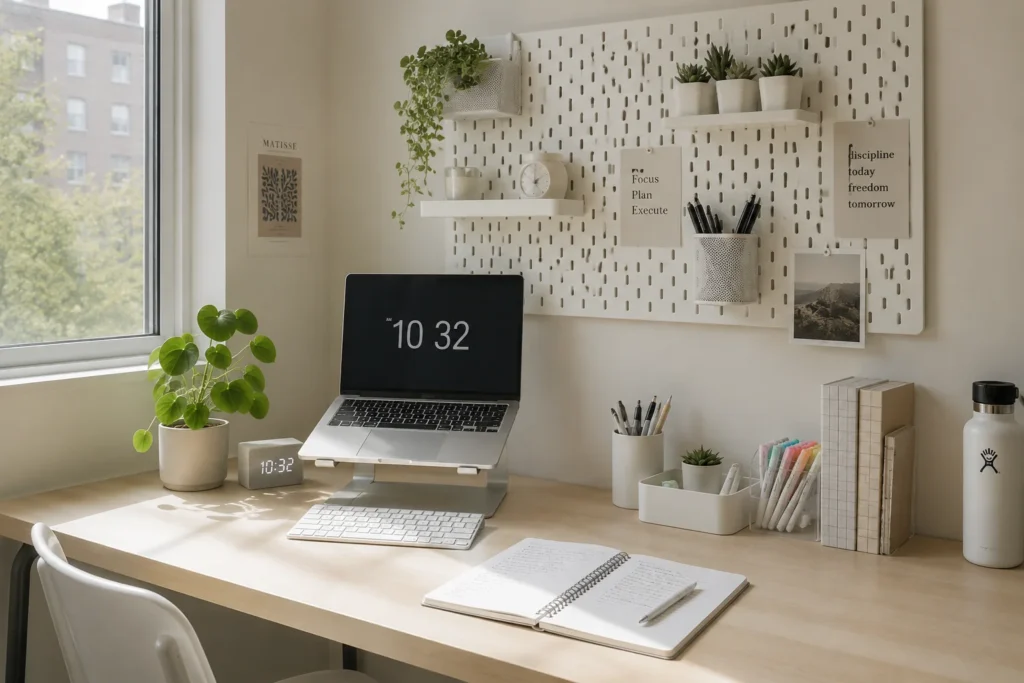
Setting up a desk in a dorm room or shared apartment is its own specific challenge — you have maybe 30 square inches of real estate, landlord-white walls you can’t paint, and a desk that came with the room and was clearly designed by someone who has never used a desk. I’ve been there. Here’s what actually works.
Command strips are the single most important purchase for any renter. The medium-size ones (rated for 3 lbs) hold monitor risers, small shelves, and cable clips without damaging walls. The large ones can hold floating shelves. Use them everywhere, follow the instructions exactly (the 1-hour cure time matters), and you’ll have vertical storage that doesn’t cost you your security deposit.
For a student desk specifically: go vertical. A monitor riser with storage underneath, a pegboard above the desk (command-strip mounted), and a vertical document holder on the side of the desk — you triple your effective storage without adding desk surface clutter.
The IKEA SKADIS pegboard is the student setup’s best friend. It’s modular, relatively inexpensive, holds accessories and stationery in a way that looks intentional rather than messy, and photographs beautifully. Add some plants in small pots to the pegboard hooks and it genuinely looks like something you’d see on a study aesthetic account.
Laptop setups force you into good ergonomics by accident: a laptop stand plus external keyboard and mouse gives you the raised screen height your neck needs and naturally clears the desk surface. The Nexstand laptop stand folds completely flat and is genuinely worth the $40.
Common student setup mistake: covering every inch of the desk with things. A pen holder, a small plant, your lamp, and your laptop. That’s it. The empty space around those things is what makes the setup look like a design choice rather than a pile.
Idea 11: The Photography-Ready Desk Setup — Always Camera-Ready
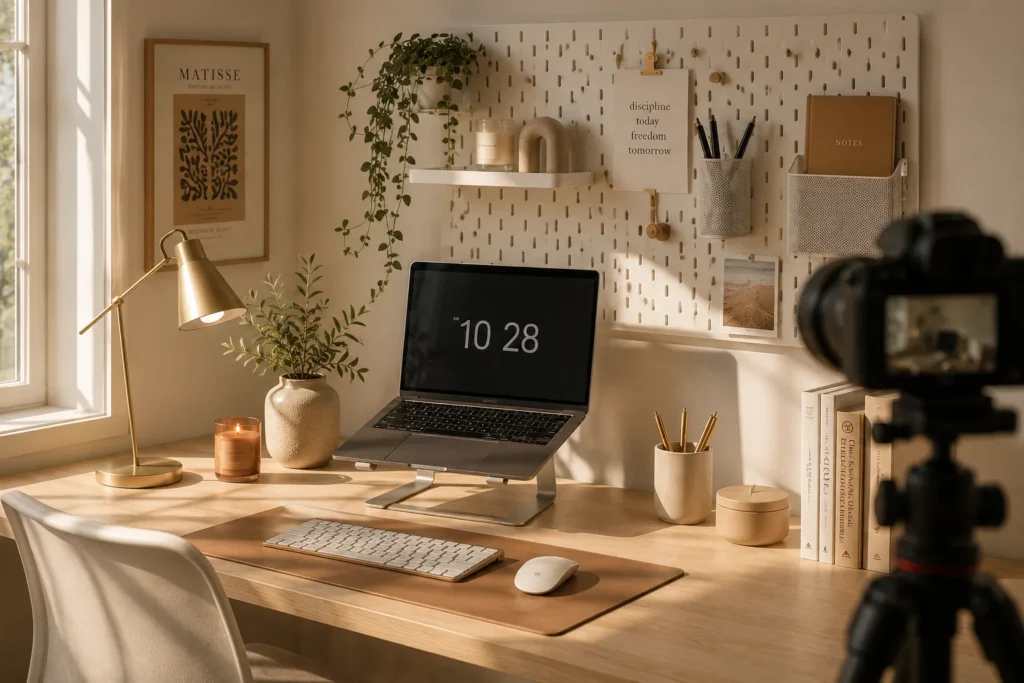
There’s a version of your desk setup that looks great in real life and a version that looks great in photos. Ideally you want both. But if you’ve ever set up what you thought was a beautiful desk and then felt deflated by how the photos turned out — you’re not imagining it. Photography and real-life perception are genuinely different.
The biggest factor: light direction. In real life, we naturally orient to face our work. In photography, light coming from the side — specifically from a large window to the left or right — creates the depth and shadow that makes objects look three-dimensional and interesting. Flat, overhead fluorescent light makes even gorgeous setups look flat and cheap.
For content creators who take desk photos regularly: a large softbox or a ring light positioned to the side (not front-facing) gives you consistent light regardless of time of day. The Elgato Key Light, mentioned earlier, excels here because its large diffused surface area mimics a window.
The angle matters: 45-degree overhead (from a step ladder) makes desk flat-lays look clean and organized. Straight-on at monitor level is most common for room-photo shots. Low angles (shooting up from desk surface level) make plants and monitors look dramatic. Most people always use the same angle — try all three and see which your specific setup responds to best.
Colour coherence photographs better than variety. If your desk has a warm wood tone, warm-toned accessories (amber glass, brass, terracotta) will photograph more cohesively than a mix of warm and cool. This sounds obvious but it’s easy to ignore when you’re buying individual pieces.
For phone photography: the Moment case + Moment 18mm wide angle lens for iPhone or Pixel gives you wider framing that fits more of your desk setup without the distortion of the native ultra-wide lens. It’s a game-changer for desk photos specifically.
Idea 12: The Gamer-to-Professional Desk Aesthetic Transition
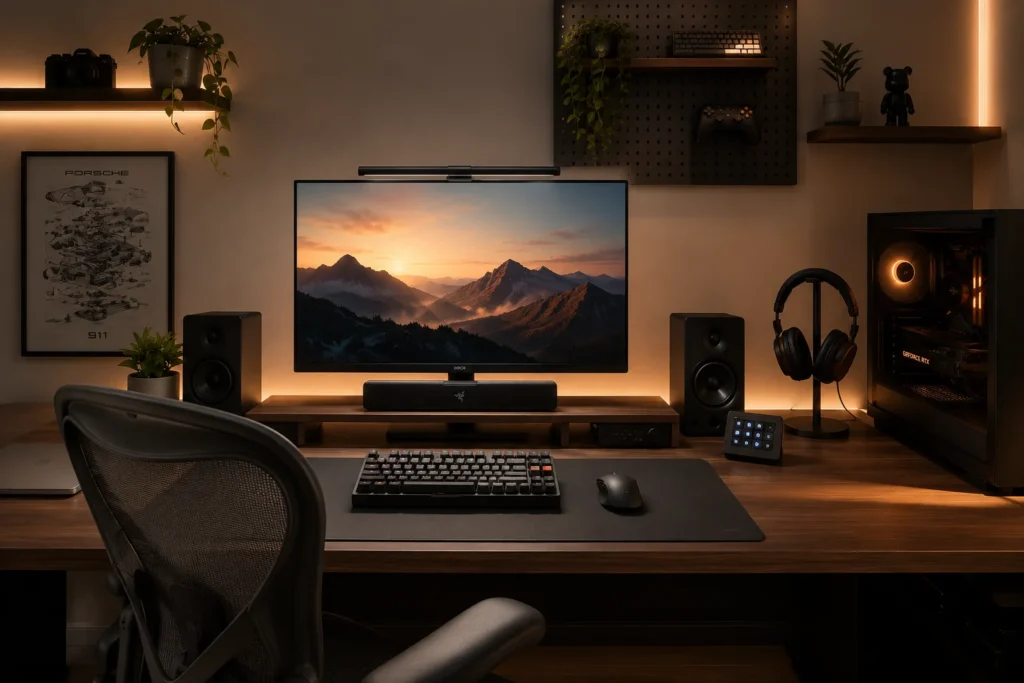
I went through this transition myself and it’s genuinely awkward — you want to keep your gaming setup functional but you’ve outgrown the RGB-everything, dragon-figurine, neon-everything aesthetic of your early twenties. You work from home now, maybe take video calls, maybe have clients who can see your background. The setup needs to grow up a bit.
The good news: you don’t have to choose between gaming capability and professional aesthetics in 2026. The hardware has largely caught up.
Monitors: the LG 27GR95QE OLED gaming monitor has bezels so thin and a stand so understated that it reads as a premium professional display at a glance, while still being a 240Hz gaming panel underneath. The days of gaming monitors looking like they have shark fins and racing stripes are mostly behind us.
Keyboards: the Keychron Q series mechanical keyboards come in anodized aluminium, look like premium design objects, and type beautifully for both work and gaming. If someone sees one on your desk during a call, they’re more likely to ask where you got it than laugh at it.
Mouse: the Logitech G Pro X Superlight 2 is the most technically capable gaming mouse available, and in its white colourway on a neutral desk pad, it looks like a tasteful productivity tool. Nobody knows it’s a 32,000 DPI gaming peripheral.
The transition mistake I see constantly: people buy new ‘professional’ accessories and pile them on top of their existing gaming gear rather than replacing or hiding the gaming-specific items. The result is a confused hybrid that reads as neither. Commit to the transition: RGB off or dialled way down, figurines in a drawer or bookshelf rather than the desk surface, and cable management tightened up so the back of the desk isn’t a spaghetti nest of cables and LED strip wires.
Idea 13: Biophilic Desk Design — Plants Are the New Tech Accessory
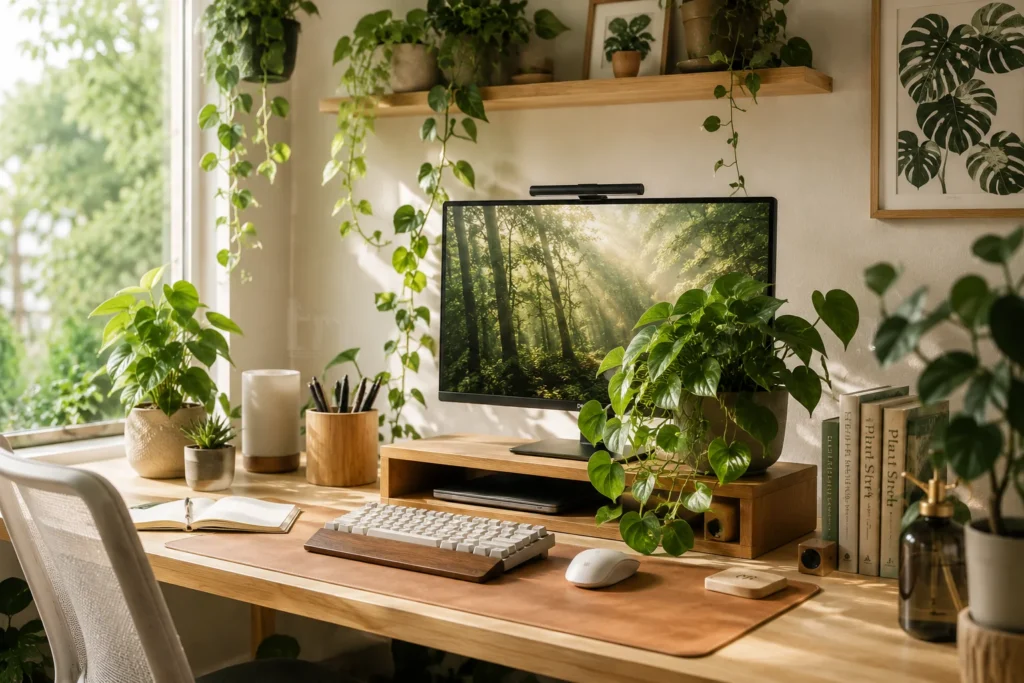
I’ll be honest: I killed four plants before I got my desk plant situation right. Snake plants, ZZ plants, pothos — I thought I was doing everything right and they’d slowly wither in ways that made me feel actively guilty every time I sat down to work. Then I figured out the actual reason: most desk setups have the worst possible light conditions for plants (indirect, inconsistent, often from one direction), and most people, including me, water based on schedule rather than soil dryness.
The biophilic desk aesthetic — using plants, natural materials, and organic shapes intentionally throughout your workspace — is genuinely one of the most evidence-backed design approaches for productivity. Studies from the University of Exeter found that workers in green offices were 15% more productive than those in minimal (plant-free) spaces.
Plants that actually survive desk conditions in 2026 and also look great: trailing pothos (drape them off the edge of a monitor riser for that jungle effect), ZZ plants (truly bulletproof, glossy leaves look expensive), and trailing string of pearls (unusual-looking, great for photos, needs more light but tolerates inconsistency).
If you genuinely cannot keep plants alive — and some people truly cannot, myself included for the first two years — high-quality faux plants have become remarkably convincing. Nearly Natural’s faux pothos in a concrete planter is $35 and photographs almost indistinguishably from real.
Beyond plants: natural materials are part of biophilic design too. A cork desk organizer, a smooth river stone as a paperweight, a wooden wireless charger (Oakywood makes beautiful ones) — these small touches add organic texture that makes a desk feel grounded rather than purely digital.
The scale mistake: one tiny succulent on a 72-inch desk looks sad and accidental. Match your plant scale to your desk size. A large trailing pothos in a 6-inch pot on a mid-sized desk, or a cluster of three different small plants grouped together, reads much better than a single undersized plant lost in empty space.
Idea 14: The One-Monitor Ultrawide Aesthetic — Less Screen, More Style
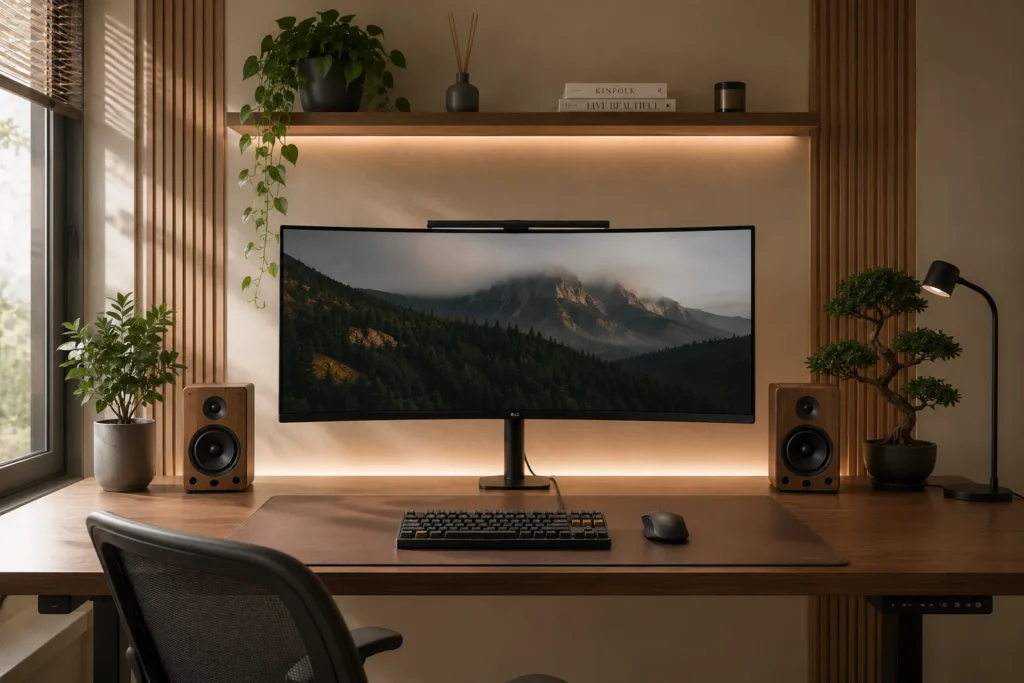
For about two years I was a dedicated dual-monitor evangelist. Two screens, more real estate, more productivity — the logic felt airtight. Then I switched to a 34-inch ultrawide and I’ve been trying to get everyone I know to make the same switch ever since.
From a pure aesthetic standpoint, a single ultrawide monitor is dramatically cleaner than two separate panels. There’s no gap in the middle, no cable run between two stands, no height-matching gymnastics. Just one large, immersive display that looks intentional and considered.
The LG 34WQ75C is my current pick for the best-value ultrawide in 2026 — it’s a USB-C monitor (one cable from your laptop powers and charges it), has a subtle curved panel, and the stand design is understated enough to disappear on a clean desk. The Dell UltraSharp U3423WE is more expensive but has a Thunderbolt hub built in, which is genuinely useful.
The productivity reality of ultrawide: window management software is non-negotiable. On Mac, Magnet ($2) or BetterSnapTool ($3) let you snap windows to thirds or quarters. On Windows, PowerToys’ FancyZones does the same thing natively and for free. Without these tools, a single ultrawide quickly becomes one huge window at a time, which defeats the purpose.
For photography specifically, a single ultrawide reads as more premium than dual monitors in almost every shot. The symmetry is just cleaner. If you shoot your setup for social or YouTube, the ultrawide switch alone will change how professional your setup looks on screen.
Idea 15: The Vertical Desk Setup Trend — Going Tall Instead of Wide
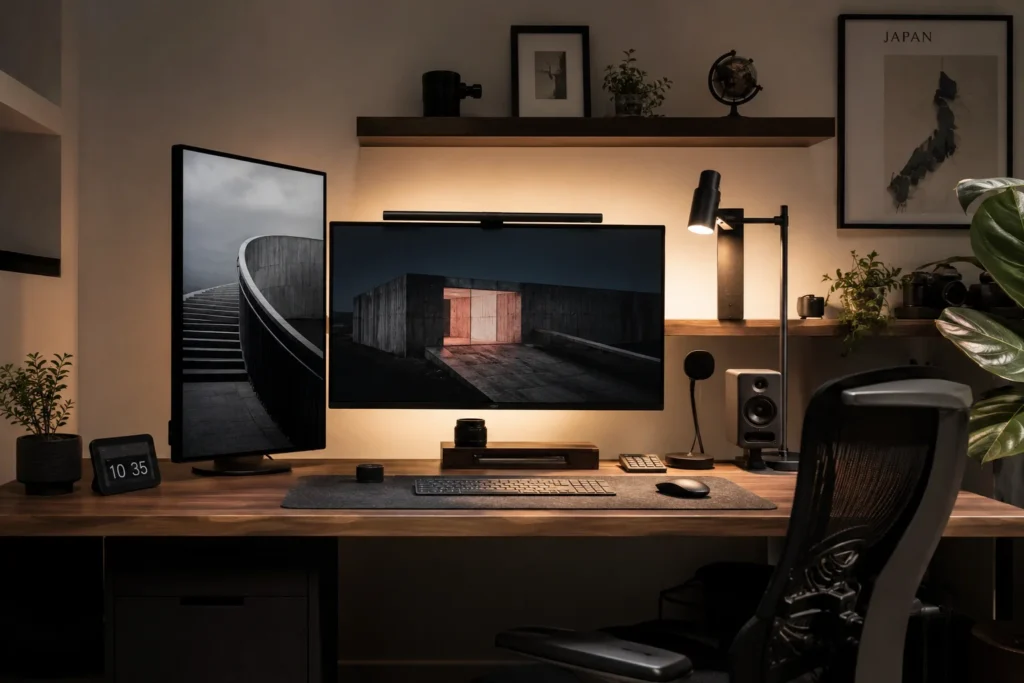
Here’s the one that genuinely stopped me scrolling when I first saw it: monitors in portrait mode (rotated 90 degrees), running vertically. It looks strange in concept and immediately makes sense the moment you try it.
The vertical monitor trend in 2026 is driven largely by content creators and coders. Coders love it because you can see an entire file without scrolling — most code is written vertically, not horizontally. Content creators love it because vertical content (TikTok, Instagram Reels, YouTube Shorts) is now the dominant format, and editing vertical video on a vertical monitor is exactly as logical as it sounds.
Even for general productivity use, a vertical second monitor for your email, Slack, or notes is surprisingly useful — most communication apps show dramatically more content in portrait orientation.
The aesthetic angle: a vertical monitor as a secondary display next to a horizontal primary creates an asymmetric, architectural look that photographs beautifully. It’s unexpected, it looks intentional, and it reads as creative and forward-thinking in a way that matching dual horizontals don’t.
Monitor arm selection matters here: you need a full-motion arm that explicitly supports 360-degree rotation. The Ergotron LX single arm handles this easily. Note that not all monitors look good in portrait — wider stands look awkward when rotated. Monitors with a narrow single-column stand (like many of Dell’s UltraSharp line) translate better to vertical orientation.
One thing nobody warns you about with vertical monitors: your graphics card needs to support the rotation natively (most modern ones do, but check first), and some applications genuinely don’t render well in portrait mode. Chrome, almost all productivity apps, and coding editors are fine. Some video editing software gets strange. Test your specific workflow before committing.
Biggest Mistakes People Make With Aesthetic Desk Setups in 2026
After going through fifteen different configurations and talking to dozens of people who’ve done the same, the mistakes cluster around a few predictable patterns:
✗ Buying aesthetics before fixing function: If your monitor height gives you neck pain, no amount of pretty accessories fixes it. Ergonomics first, always.
✗ Ignoring lighting entirely: The difference between a mediocre photo of a great setup and a great photo is almost always lighting. Invest in it.
✗ Cluttering the surface: Every item on your desk competes for visual attention. The fewer things on the surface, the more intentional and expensive everything looks.
✗ Mismatching colour temperatures: Mixing warm-white and cool-white light sources without intention creates an unsettling visual chaos that photographs terribly.
✗ Copying without adapting: The desk setup that looks perfect for a 6’2″ person who games 4 hours a day is not the same desk that’s right for a 5’4″ copywriter who does video calls all day. Your setup should fit your body and workflow, not someone else’s.
Where to Start if You’re Overwhelmed
Pick one idea from this list. Just one. The biggest mistake is trying to do everything at once, buying fifteen things at once, and ending up with a confused mess that doesn’t commit to any aesthetic direction. Start with the aesthetic that genuinely speaks to how you want to feel at your desk — cozy, minimal, dark and moody, smart and tech-forward — and let everything else flow from that single directional decision.
The aesthetic desk setup 2026 ideas in this article range from completely free (rearranging what you already have, fixing cable management) to several thousand dollars (full standing desk, ultrawide OLED, smart home integration). Most of the biggest visual improvements I’ve made cost under $50.
Your workspace shapes your mindset more than you probably realize. The hour you spend making your desk look exactly the way you want it to look is one of the better investments you can make in how you feel every time you sit down to work.
You May Also Like These Posts
→ 10 Dreamy Cozy Bedroom Aesthetic Ideas
→ Summer Home Décor Ideas 2026